
Canadian-built salon booking

Your chair. Your clients. Your dollar.

One link for Instagram. Real no-show protection. HST handled. Every dollar your clients pay goes straight to your bank.

No credit card. 5-minute setup. Cancel anytime.
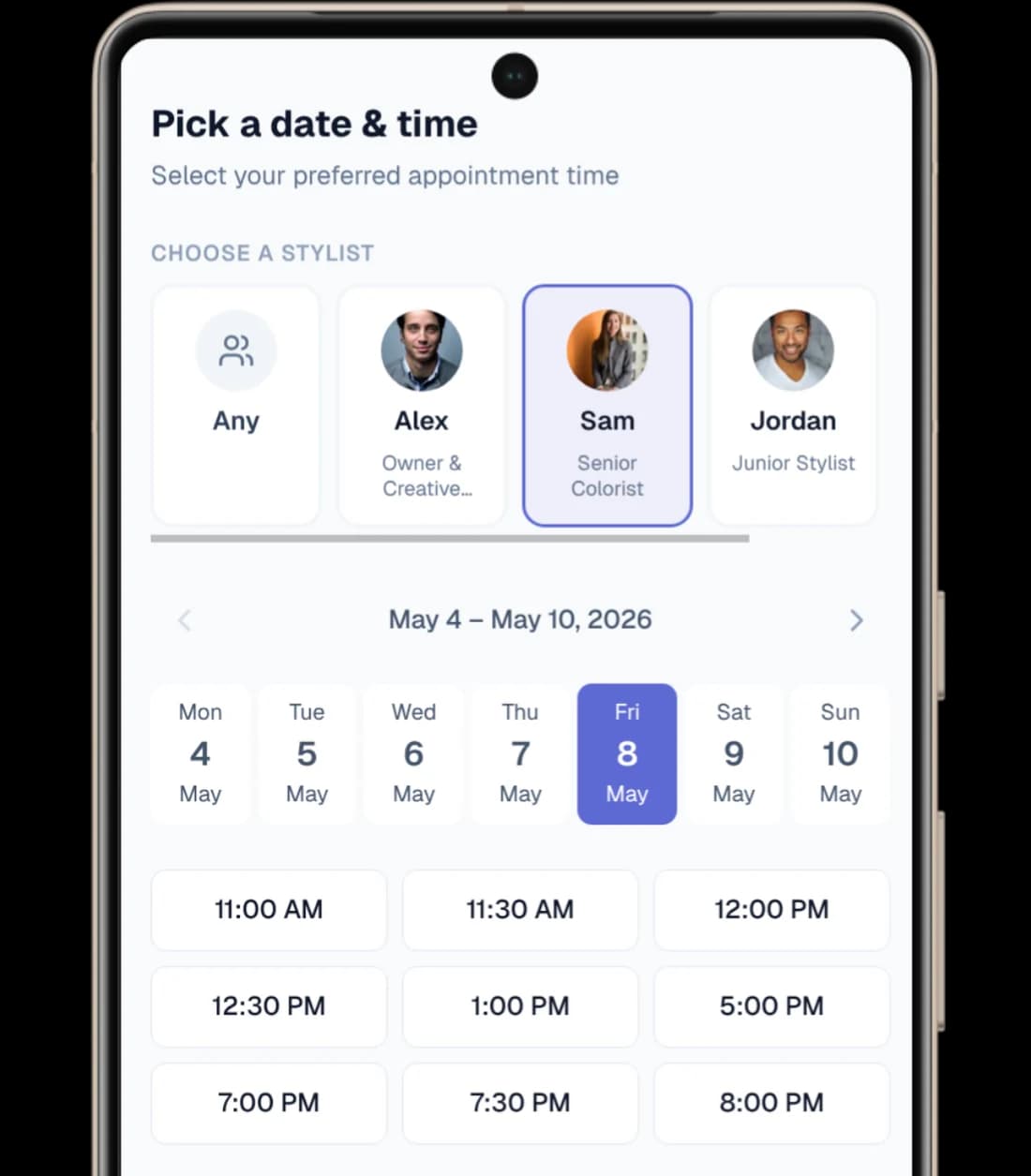
Jessica's Studio booking page on a phone, showing the date-and-time picker with stylist cards for Alex, Sam, and Jordan and tappable time slots from 11 AM to 8 PM

Run your day

Booking is the start. Trimmo runs the day after.

Four real moments from the product. No stock photos, no dressed-up illustrations.

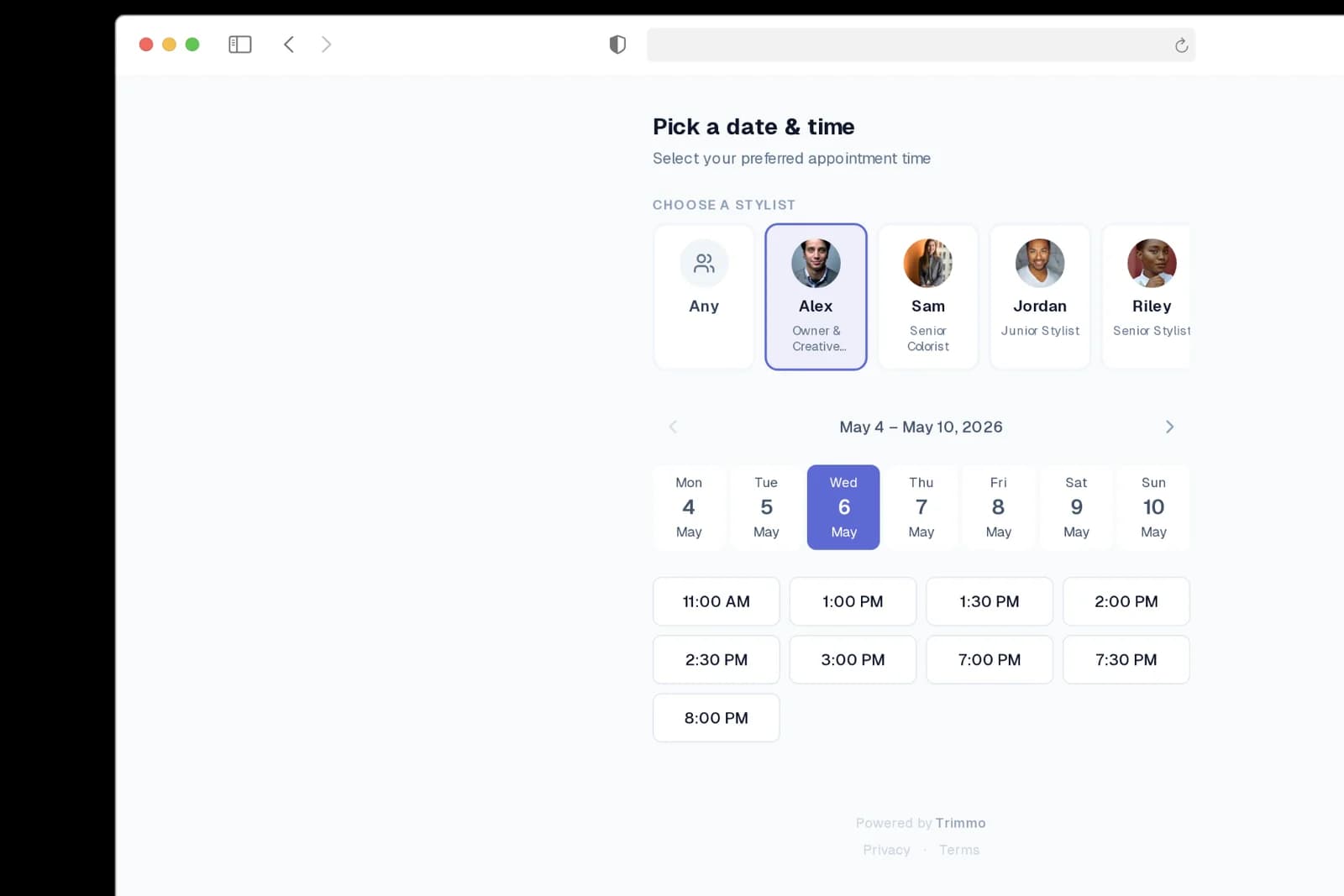
Jessica's Studio public booking page on desktop with stylist cards, a week selector, and tappable time slots from 11 AM to 8 PM

Clients book from your link.

Your Instagram bio, your website, your text messages — one link they can tap from anywhere.
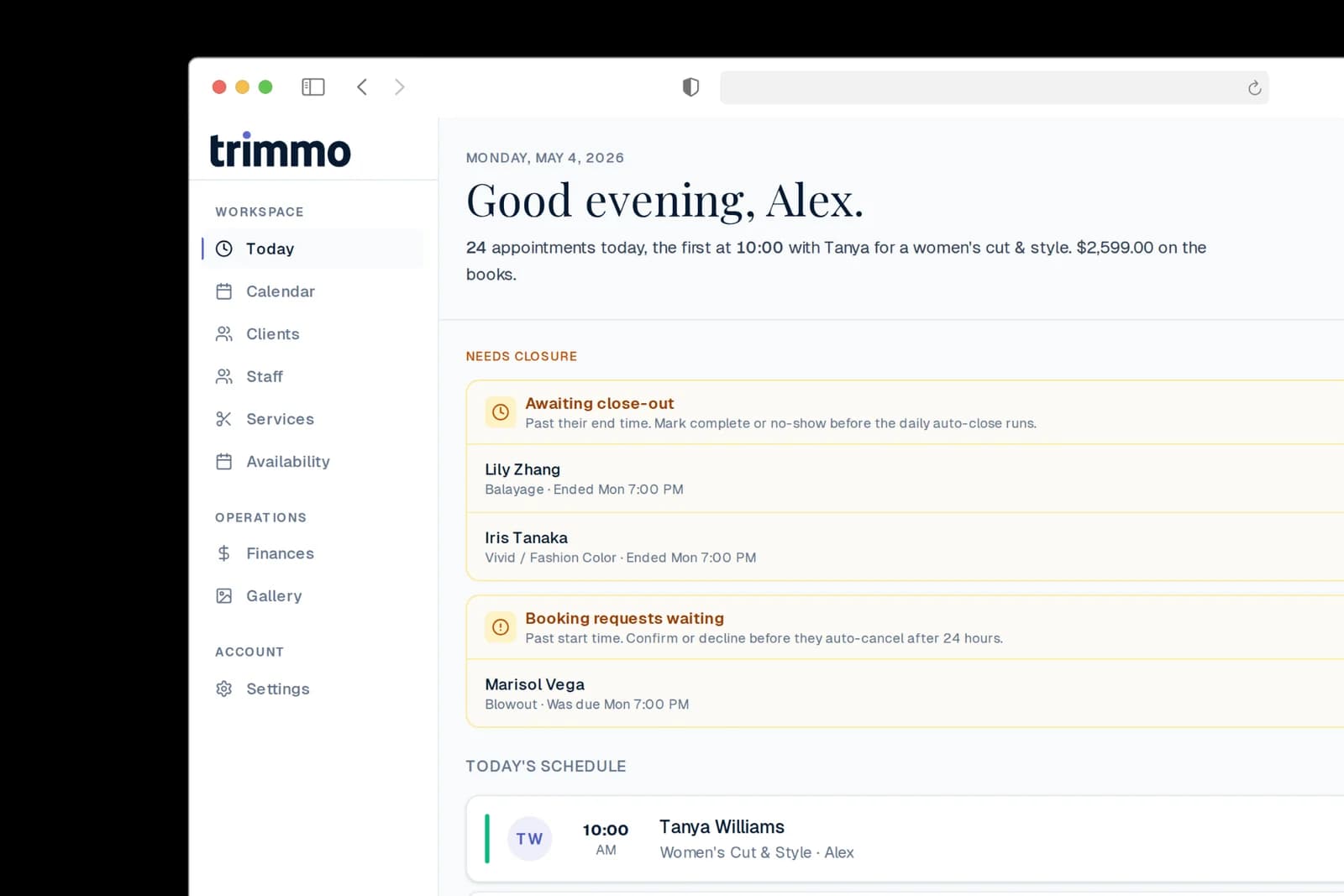
Trimmo dashboard for Alex showing 24 appointments today, awaiting close-out alerts, booking requests waiting, and today's schedule

Run your day from one screen.

Today's schedule, requests waiting, awaiting close-outs, revenue-so-far — surfaced before you ask.
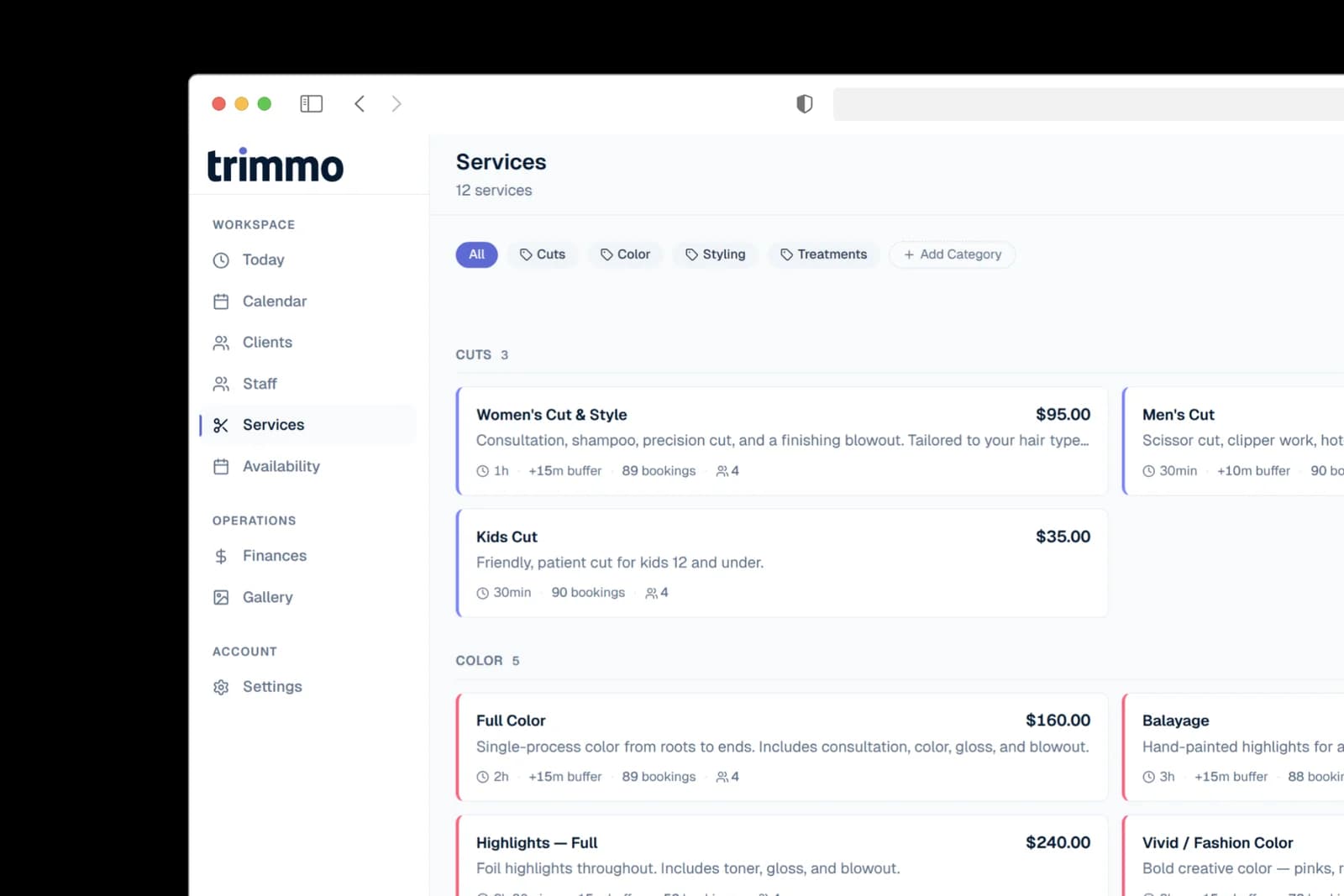
Trimmo services library showing 12 services across Cuts, Color, Styling, and Treatments categories with prices, durations, and booking counts

Every service, priced right.

Categorized menu, per-service buffers, deposit rules, team-member assignments — set once, it just works.
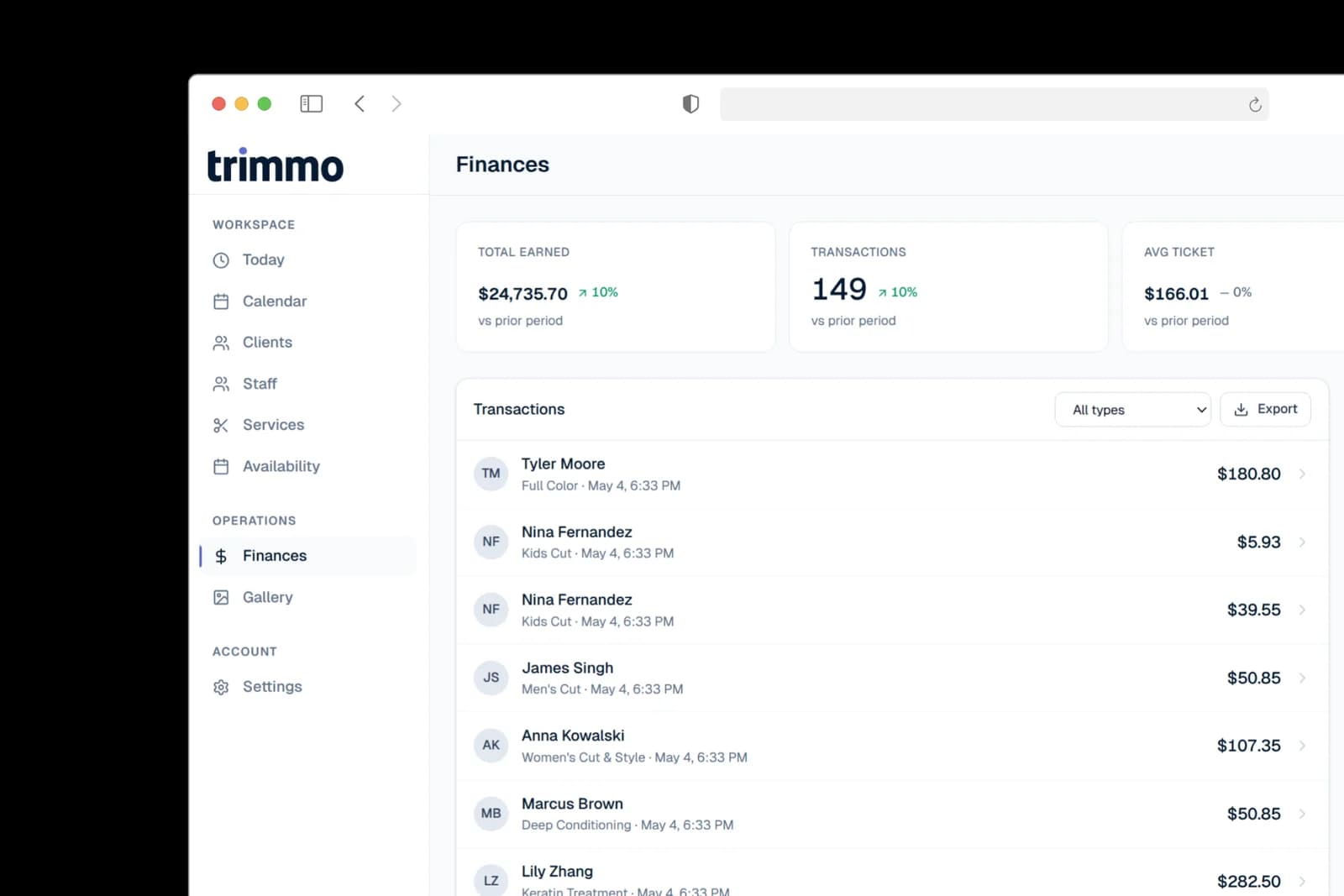
Trimmo finances dashboard showing $24,735 total earned, 149 transactions, $166 average ticket, 91% completion, and revenue broken out by service

Money in. Reports out.

Deposits at booking, payments at checkout, refunds if needed. Revenue by service, completion rate, ticket trends.

Calendar

The week the salon runs on.

Every stylist. Every booking. The entire week. One screen.
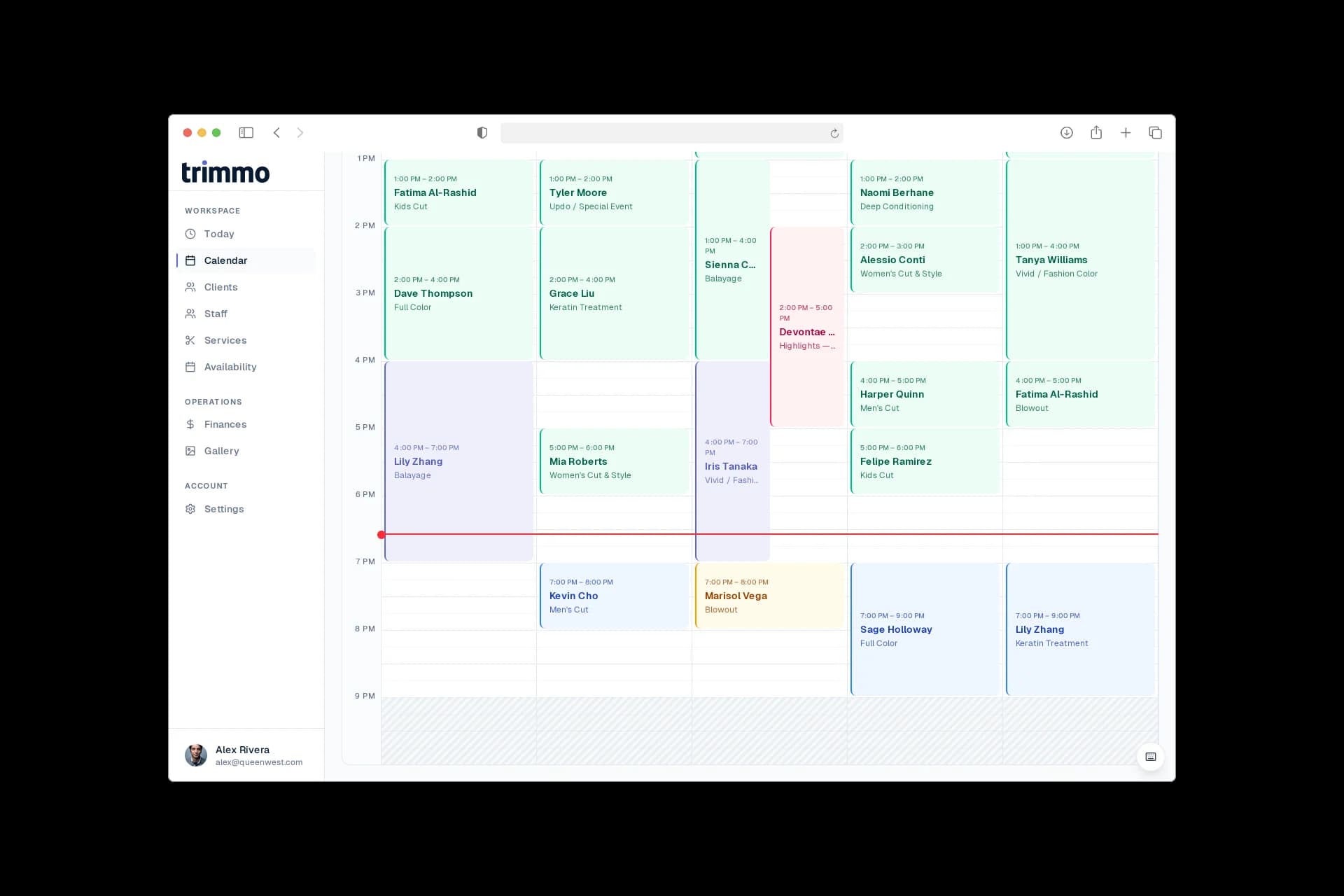
Trimmo week calendar showing 5 stylists across columns — Alex, Sam, Jordan, Riley, Devon — with 17 appointments color-coded by status, time labels from 1 PM to 9 PM, and the current 7 PM line marked across the grid

01

One column per chair.
Each stylist's day reads like its own page. Coordinate the floor without spreadsheets, group chats, or post-it stacks.

02

Status, not just time.
Confirmed, pending, completed, no-show — every appointment carries its state. Catch problems before the client walks in.

03

Move an appointment by dragging it.
The client gets the new time by text. The schedule rebalances. You keep cutting hair.

Mobile-native

Run the salon from your pocket.

The same Trimmo, sized for one hand. No app to install, nothing for the team to download — just the URL they already use.
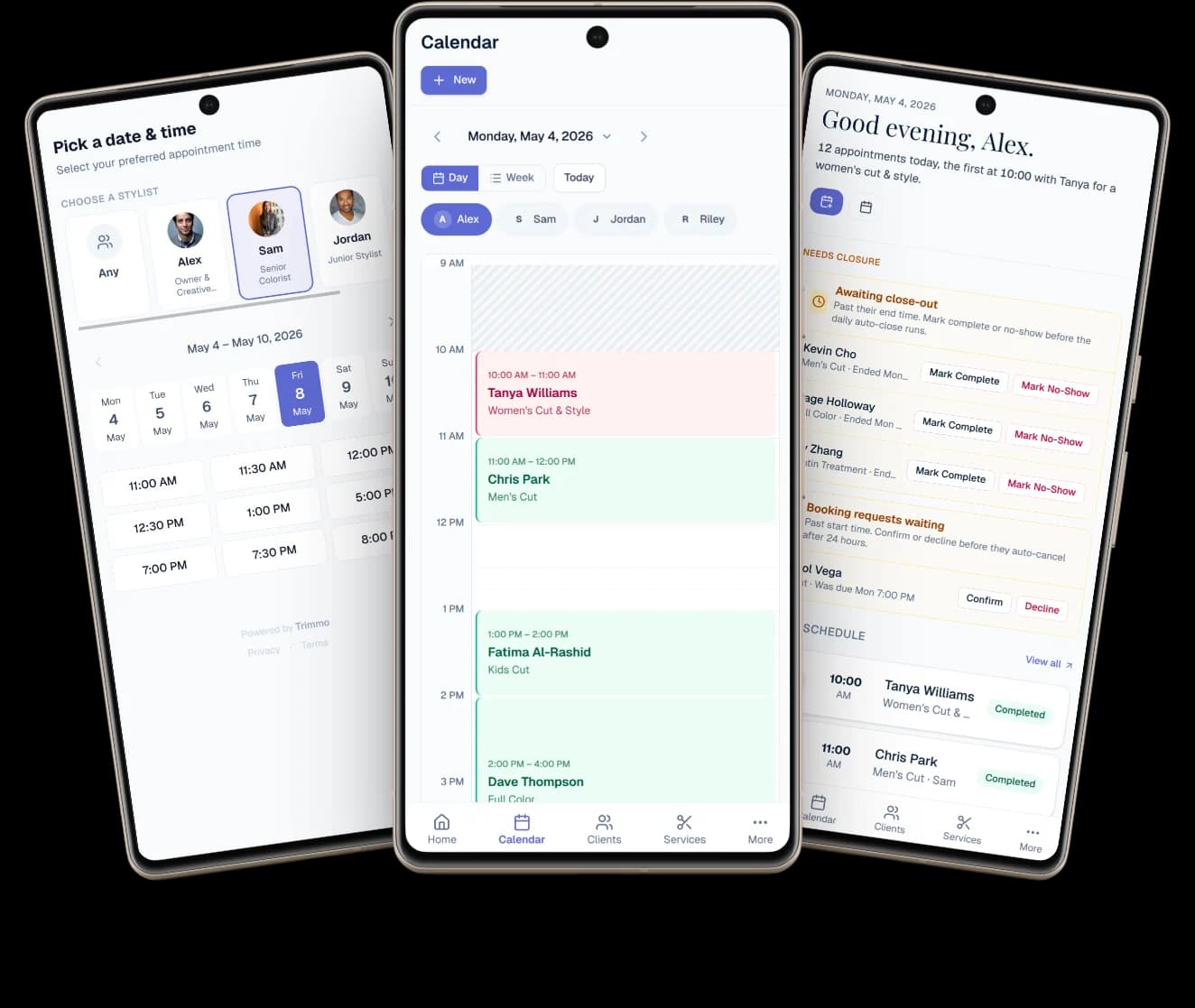
Three phones fanned together — left phone shows the Pick-a-date-and-time booking screen with stylist cards, middle phone shows the day-view calendar with appointments stacked from 10 AM, right phone shows the Good evening dashboard with awaiting close-outs and booking requests waiting

The Instagram wedge

Your booking link belongs in your Instagram bio. Not behind a download.

  • One URL — Instagram bio, WhatsApp, text, print.

    Share it once. It works everywhere clients already are.

  • Clients book from any phone. No app to install.

    65% of bookings happen on mobile. Trimmo's link is mobile-native.

  • No account required. Name, phone, email, done.

    Friction kills bookings. We removed every step that wasn't booking.
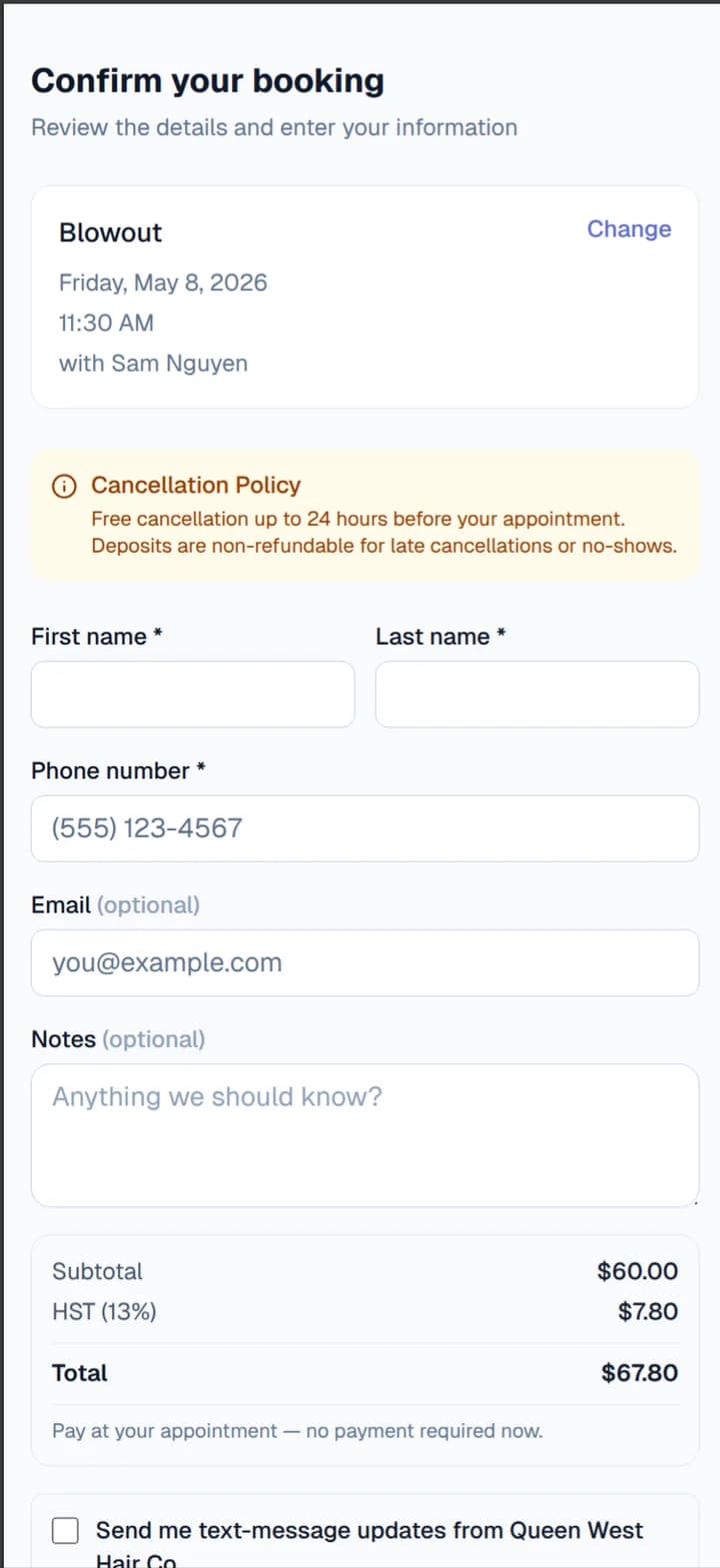
Trimmo booking confirm screen on a phone for Jessica's Studio, showing the cancellation policy, simple name and phone fields, and an HST line on the total

The differentiator

Stop letting no-shows eat your week.

Ghosting costs the average salon $1,200 a month. Trimmo ships the full protection stack — not just “we’ll send a reminder.”

01

Configurable deposits

Require deposits for specific services, tiers, or every booking. Charged at booking, applied to the final bill, refunded on timely cancels.

02

Smart waitlist auto-fill

When a client cancels, Trimmo ranks waitlisted candidates by loyalty, reliability, and service match — and notifies the best fit first.

03

Client reliability scoring

Every booking, cancel, or no-show updates a per-client score. See who's reliable at a glance, charge accordingly, protect your time.

Canadian in every detail

Built in Toronto. Tested in Canadian salons.

Every detail that feels Canadian on other platforms was an afterthought. On Trimmo it was the starting point.

Tax handled.
HST and GST auto-calculate per province. Ontario 13%, Alberta 5%, Quebec GST + QST. Defaults preconfigured.
CAD-native.
Prices, reports, and invoices in Canadian dollars. No exchange-rate surprises on your subscription or your client's deposit.
Interac on the roadmap.
Stripe Connect today. Interac Direct arrives in 2026 — because Canadian clients pay with Canadian methods.

Pricing

Pay for scale. Not for features.

Three tiers. Every core feature in every tier. Tiers differ by scale and operational level — never by what the product can do.

Starter

Solo stylists getting established

$24.17/month

$290 billed yearly · save $58

  • 1 provider
  • All core features included
  • Unlimited bookings
  • No-show protection (deposits + waitlist)
  • Canadian tax (HST/GST) built-in
  • Email + SMS reminders
Most popular

Pro

Growing solos with part-time help or a partner

$40.83/month

$490 billed yearly · save $98

  • Up to 3 providers
  • All core features included
  • Unlimited bookings
  • No-show protection (deposits + waitlist)
  • Canadian tax (HST/GST) built-in
  • Email + SMS reminders

Team

Full salons with a team of stylists

$65.83/month

$790 billed yearly · save $158

  • Up to 8 providers
  • All core features included
  • Unlimited bookings
  • No-show protection (deposits + waitlist)
  • Canadian tax (HST/GST) built-in
  • Email + SMS reminders

FAQ

Questions we get a lot

Is there a free plan?

No. We believe in transparent pricing without hidden processing markups to fund a free tier. Instead, you get a full-featured 30-day trial with no credit card required.

Do you take a cut of my client's payments?

No. Stripe charges 2.9% + 30¢ per transaction — that's what you pay. Trimmo takes $0 on top. We monetize through the subscription, not through your customers.

Can I move my data from Vagaro, Square, Fresha, or Booksy?

Yes — your client list imports via CSV in a few minutes. For bigger moves (service menu, team, notes), we'll help you set it up by hand during your trial. Email us after signing up.

Can I cancel anytime?

Yes. No lock-ins, no cancellation fees, no retention gauntlet. Cancel from settings, keep access until the end of your billing period, export your data any time.

Your booking link is the hardest-working URL in your business.

Make it work harder. 30-day trial, no credit card, we move your data for you.